The "Words" of Pinterest Pins (SEO)
Stop Keyword Stuffing: The New Rules of Pinterest SEO
If I had a nickel for every time a student asked me, "How many keywords can I put into this description?" I’d have... well, a lot of nickels. It’s actually a great question if I’m being real. Confession time, even I was once in this camp. For years, Pinterest managers have debated the "spaghetti at the wall" method versus the "less is more" method. Was it better to optimize for several relevant keywords to increase the chances of a Pin being picked by the algorithm or fewer?
Thanks to the latest data analysis of over 17,000 accounts, the debate is officially settled. As someone who's been around the block with the latest trends in digital marketing, it’s unusual to get new information that requires less work to execute most effectively. If you’re looking for some good news to approach your Pinterest pinning in an easier manner, then read on.
The "Confused Algorithm" Theory
The study revealed a fascinating correlation: Shorter, clearer descriptions outperformed longer, bloated ones. In hindsight, this makes so much sense because we already know the direct connection between the keywords in your profile to the keywords in your boards and Pins.
“Including too many keywords can confuse Pinterest’s algorithm.”
Why? Because Pinterest is a machine. When you try to make one Pin rank for "Boho Earrings," "Minimalist Gold," "Gift for Mom," and "DIY Jewelry," you are sending mixed signals. As Danny Maloney noted in the transcript, sending mixed signals makes it "less clear how to classify" the content.
The Anatomy of a Perfect Pin Description
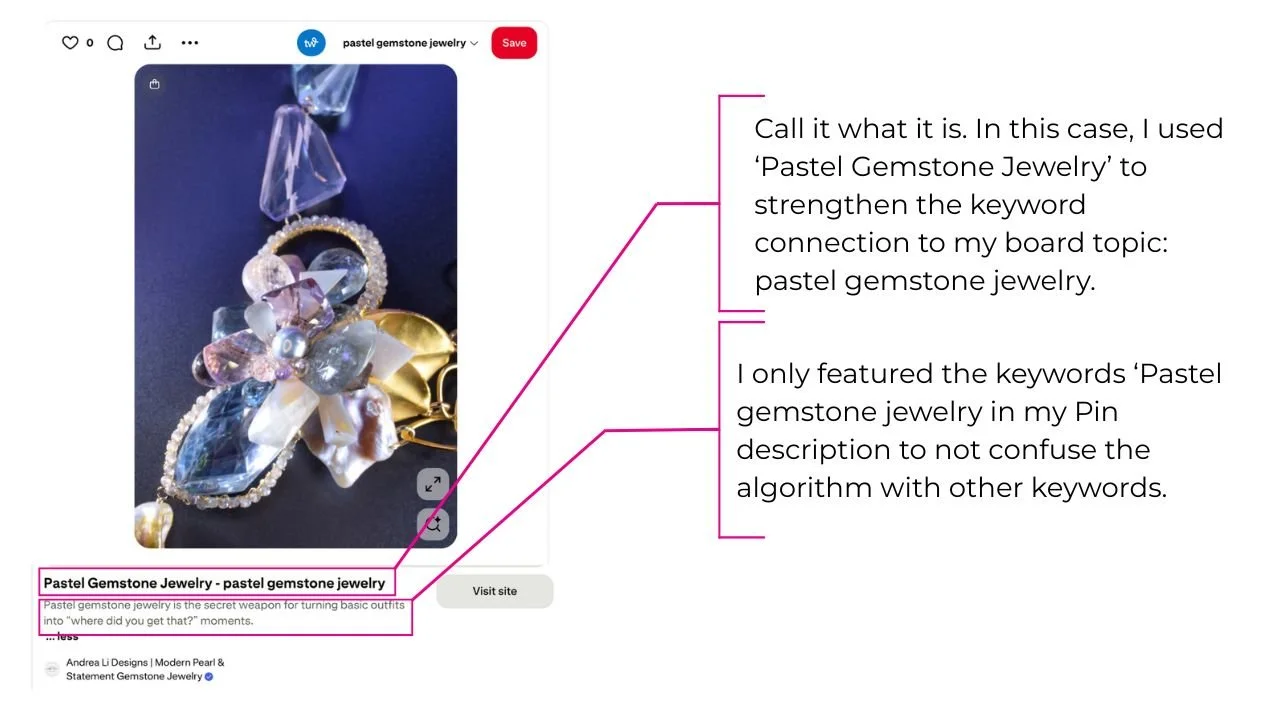
Forget writing a novel. Yes, I know Pinterest gives you 500 characters for your Pin description, but instead of utilizing every square inch of this space, aim for this 3-part formula:
One Main Keyword: (e.g., "Gemstone Engagement Ring")
One Clear Benefit: (e.g., "Ethically sourced and handmade.")
One Action: (e.g., "See the collection.") or just let the ‘Visit Site’ button do all the talking.
Pin Titles: Your Underrated Click Magnet
While everyone obsesses over the description, the Pin Title is doing the heavy lifting in the feed. The study showed that ~90% of viral Pins had clear titles and ~80% used at least one target keyword in that title.
Red Pin Geek Tip: Don't just label it "Earrings." Add a qualifier. "Statement Holiday Earrings" or "Affordable Gemstone Earrings." That extra word is often the difference between a view and a click.
Are Hashtags Back? (Spoiler: Yes)
I know, I know. Hashtags on Pinterest have had a chaotic history. They were in, they were out, they were "spammy." Pivoting to Pinterests’ whims would make anyone’s head spin. But the data shows that 19% of viral Pins used hashtags, with an average of about 7 hashtags per Pin.
How to Use Hashtags the Right Way
Think of hashtags as "secondary keywords."
Write your description in natural, human sentences first.
Add 3-5 relevant hashtags at the end to help the machine categorize you.
Example: #GemstoneJewelry #HandmadeRings #FineJewelry

The Takeaway
Pinterest is a topical search engine, but it serves humans. Write for the human first (Titles and clear sentences), and sprinkle in the SEO for the robot second (Keywords and hashtags).
If you're using AI to help generate your Pin titles and descriptions, here is a prompt template to reflect the new changes:
ChatGPT Prompt: I want you to act like a Pinterest marketer. I need you to create ____ pin titles and pin descriptions for a [blog post or product] about ____.
I would like you to organize them in a TABLE.
The Table should be structured as such:
1st column: number of the pin title and description
2nd column: pin titles
3rd column: pin descriptions
For the pin titles, keep them under 100 characters and make them sound compelling with slightly clickbaity buzzwords to entice users to click. Include only one of the following keywords in each Pin title and Pin description without going over 100 characters:
For the pin descriptions, generate engaging Pin descriptions for Pinterest that are under 200 characters and include the same keyword from the Pin title. Ensure the description is compelling to entice users to click through to the website. Include 3-5 hashtags in the pin descriptions (#); hashtags relevant to the Pinterest pin descriptions, such as #finejewelry, #gemstonejewelry, or #weddingjewelry.
I tested this, and it works exactly how it should. Make sure you designate whether your Pin is for a blog post or a product.
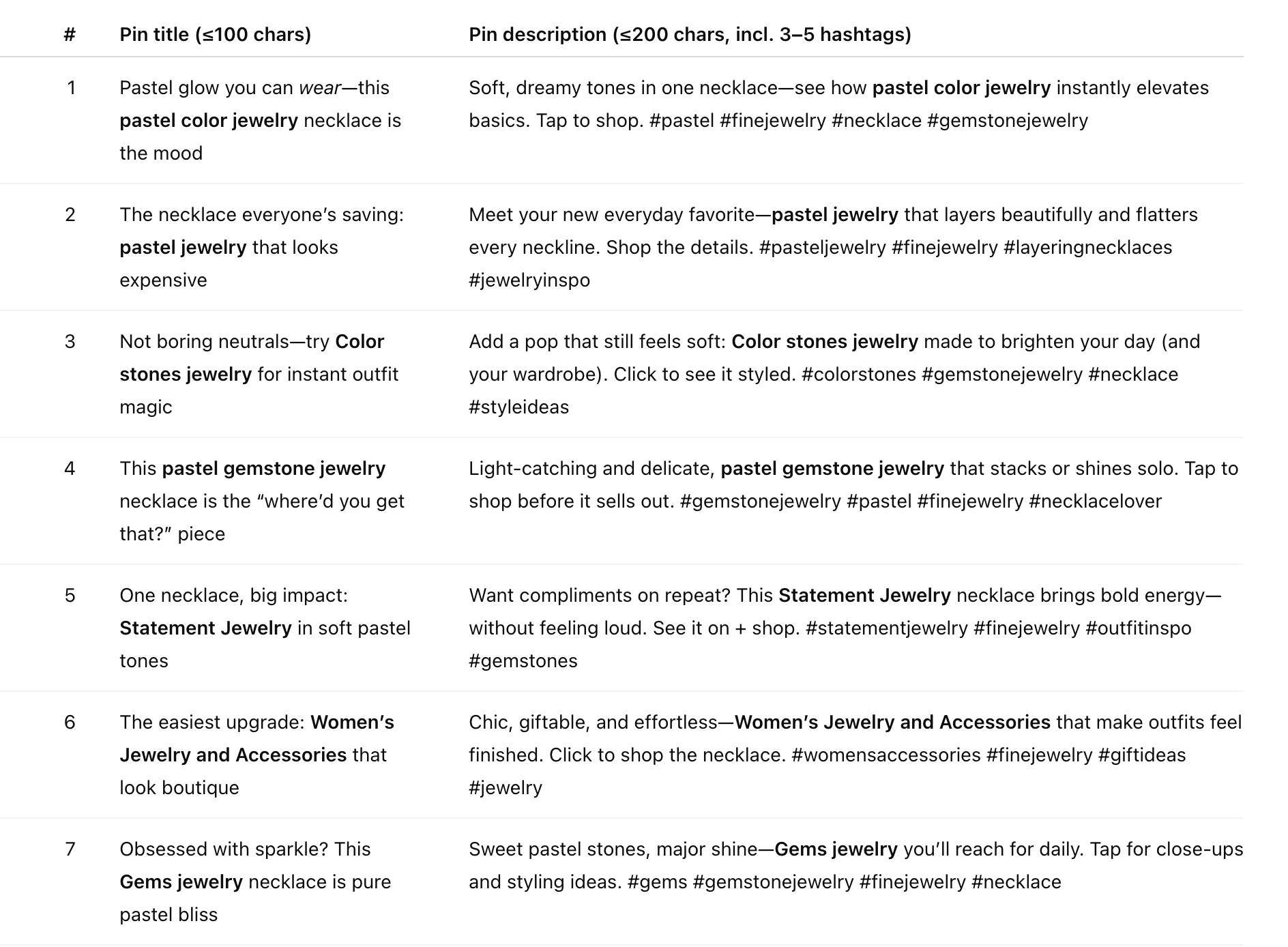
Feel free to use this prompt when creating your own Pinterest Pin titles and descriptions.
The Red Pin Geek Verdict
These updated strategies not only clarify which keywords to include in Pinterest pin descriptions and Pin titles for clicks, but also provide some easy guidance for your hashtags. While adopting these updated best practices can optimize your Pins for clicks, I can’t stress how important a well-thought-out funnel is. Here is an example of one I built for a client. As you can see, most of the work is done for what happens after the click.
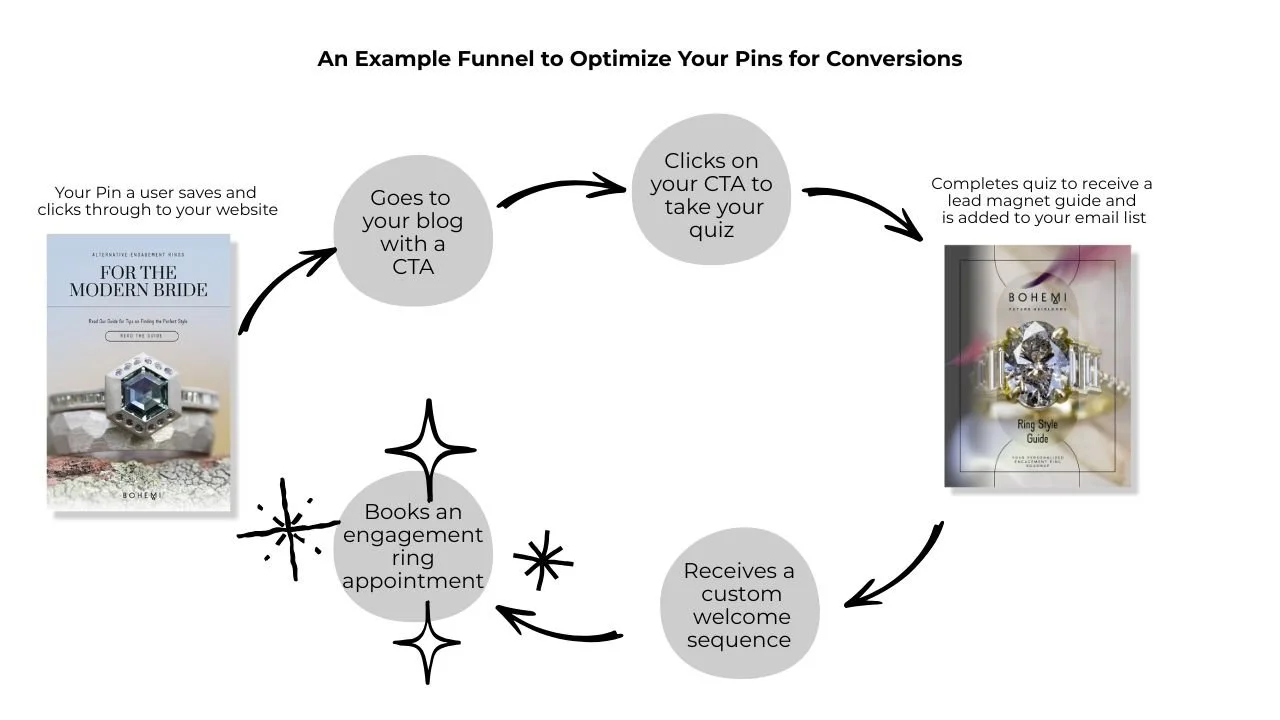
Even if your funnel is built simply for a product collection, take the time to build a cohesive and product relevant landing page for users to explore options. This strategy can work for any collection of products you wish to feature, such as, a Holiday gifts for under $500, a Valentines Day or summer bangles collection.
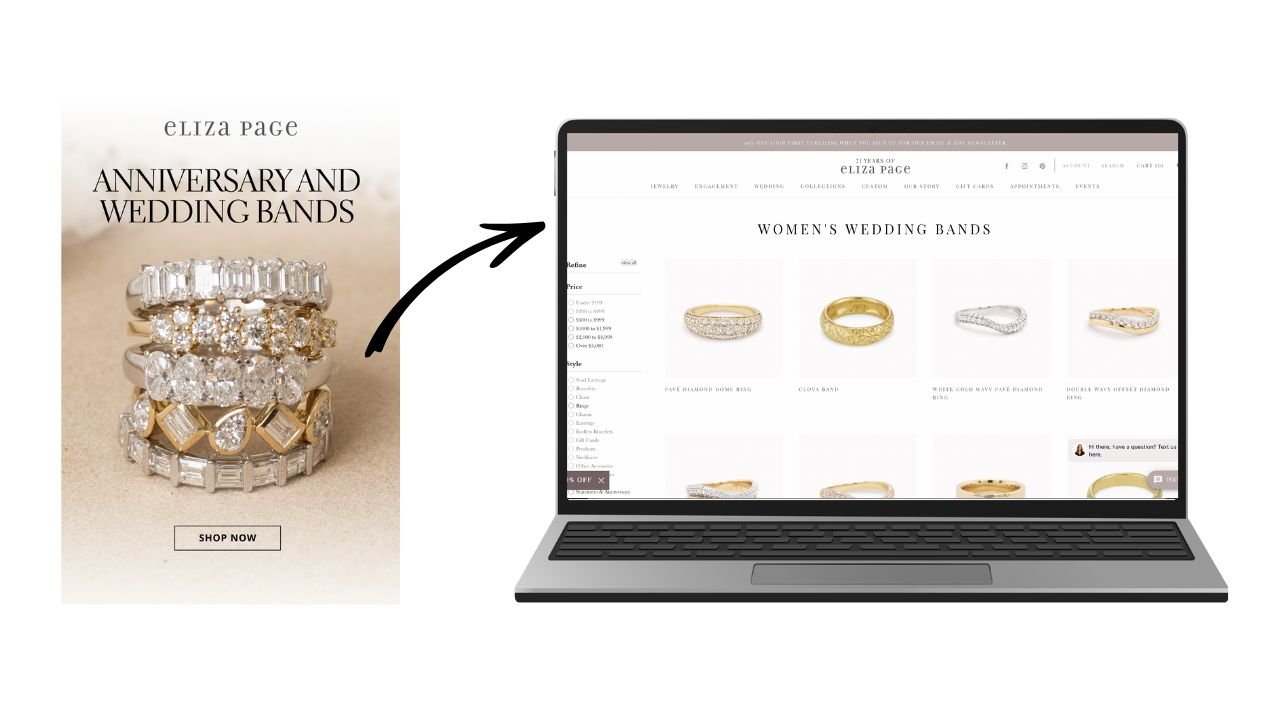
The key takeaway is to be have strategic intention for your user journey once they land on your website. This invites your visitors to explore more, sign up for you email list and keep your brand top of mind when they are ready to make a purchasing decision. This is how your Pins truly convert and how best to make the most from your Pinterest marketing.